Getting Started with AI: From a Small Raspberry Pi 5 to Our Own GPU Server
October 7, 2026 (Updated: October 11, 2026) | Fuminobu Imamura, Gyoseishoshi

The first step in using AI at work is not a large investment. It is starting small, setting up a way to keep records, and deciding early that people check what AI produces. We began with a Raspberry Pi 5, a computer that fits in the palm of your hand, and then built our own GPU server.
This is the first article in the series announced in What Are AEGIS Digital Services?. We follow the path we actually took: what we built, where we stumbled, and what we learned.
Starting Small with a Raspberry Pi 5
Our work with AI began when we assembled a Raspberry Pi 5.
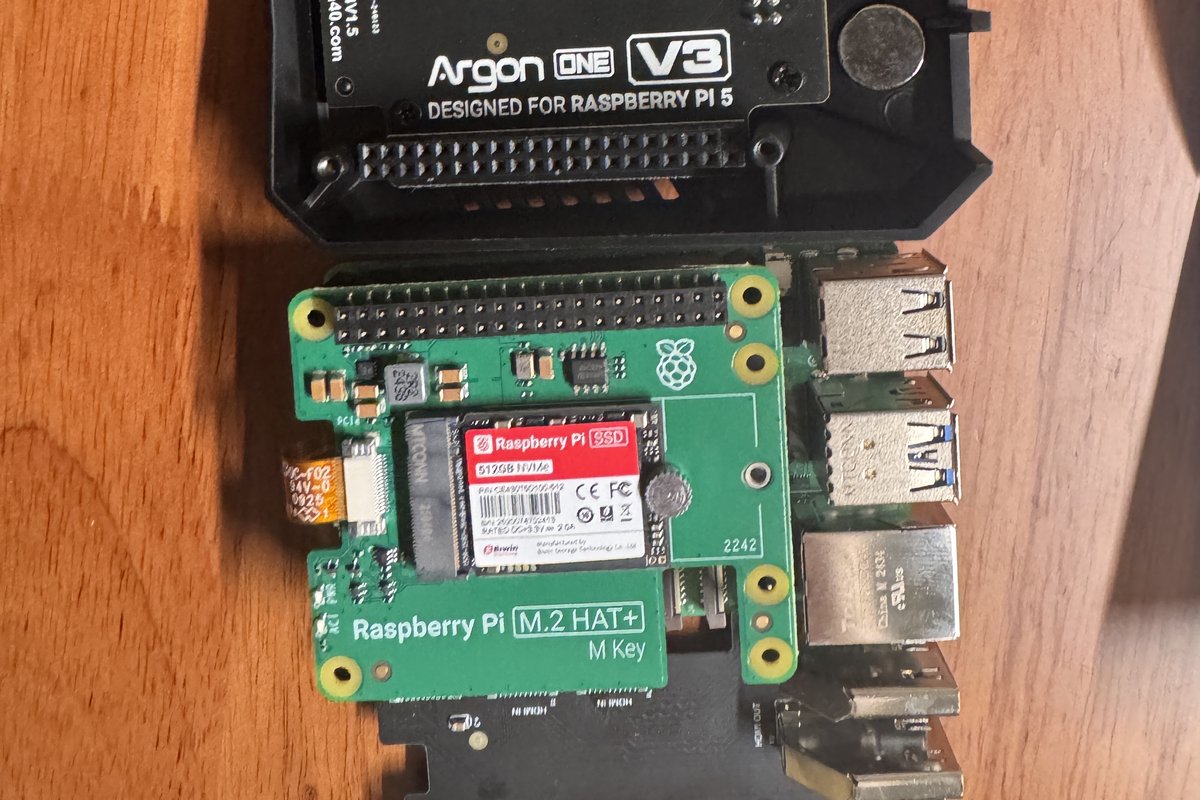
We fitted the parts onto a palm-sized board, put it in its case, and connected it to a monitor. A desktop appeared on the screen. That was the moment the small board started working as a computer.

The Raspberry Pi 5 is a small, inexpensive computer made for home, industry, education, and more. It is not powerful, but as an always-on place to run AI tools, it was enough.
One of the first things we built on the Pi was the “Command Room,” a meeting room for AI. An agenda is set, AI models give their views and vote, and decisions are kept as tasks. We made it so that a person could watch all of this on screen.
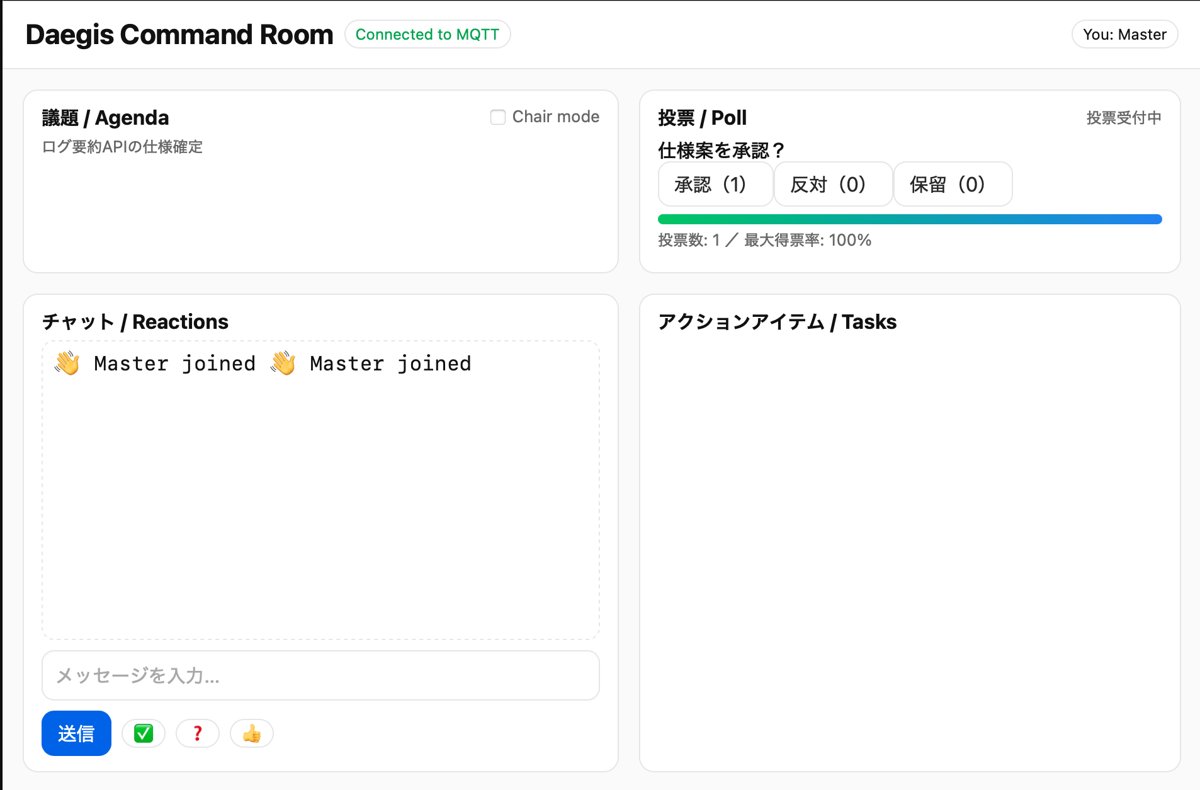
Having a window early on to see how AI models carry a discussion forward, and where they disagree, became the foundation for how we built everything after.
Every Stumble Became a Rule
Soon after starting on the Pi, we stumbled over two things.
The first was that AI forgets. When a conversation changes, AI does not remember the earlier context. The AI of today did not know what had been decided yesterday, and we kept having the same discussions again.
So within about a week of starting, we settled on four types of records.
- A timeline: when we did what, and what happened
- An append-only ledger: decisions are added, never erased
- Procedures: so the same task gives the same result no matter who does it
- Handoffs: to pass work midway to another AI, or to ourselves the next day
We still use these four types today, in evolved forms.
The second was the handling of keys. Once, a key, something like a password, slipped into our records by mistake. We rebuilt the records right away, added a mechanism to stop keys from getting mixed in, and since then we have kept keys strictly separate from records and settings.
Because we stumbled while things were still small, we were able to set our rules early.
Why Have Our Own Server?
With your own GPU server, you can build systems that run AI on hand, without depending on outside services.
Owning a GPU may still be uncommon for an office run by one practitioner. We chose to have our own server anyway, because AI that runs on hand changes what you can build. For example:
- Reading text from documents (OCR) and generating text with AI running on our own server (a local LLM)
- Replacing personal information with placeholders before text goes to an external AI service, and restoring it only inside our own server
- Having a person check what AI produces before it goes out
We build and run systems like these ourselves. Still, a system only means something together with how it is used, and replacement of personal information is not something we can call perfect. What to leave to the system and what a person should check: that judgment becomes essential when using AI.
Building the GPU Server
After the Pi, we built a GPU server by hand.
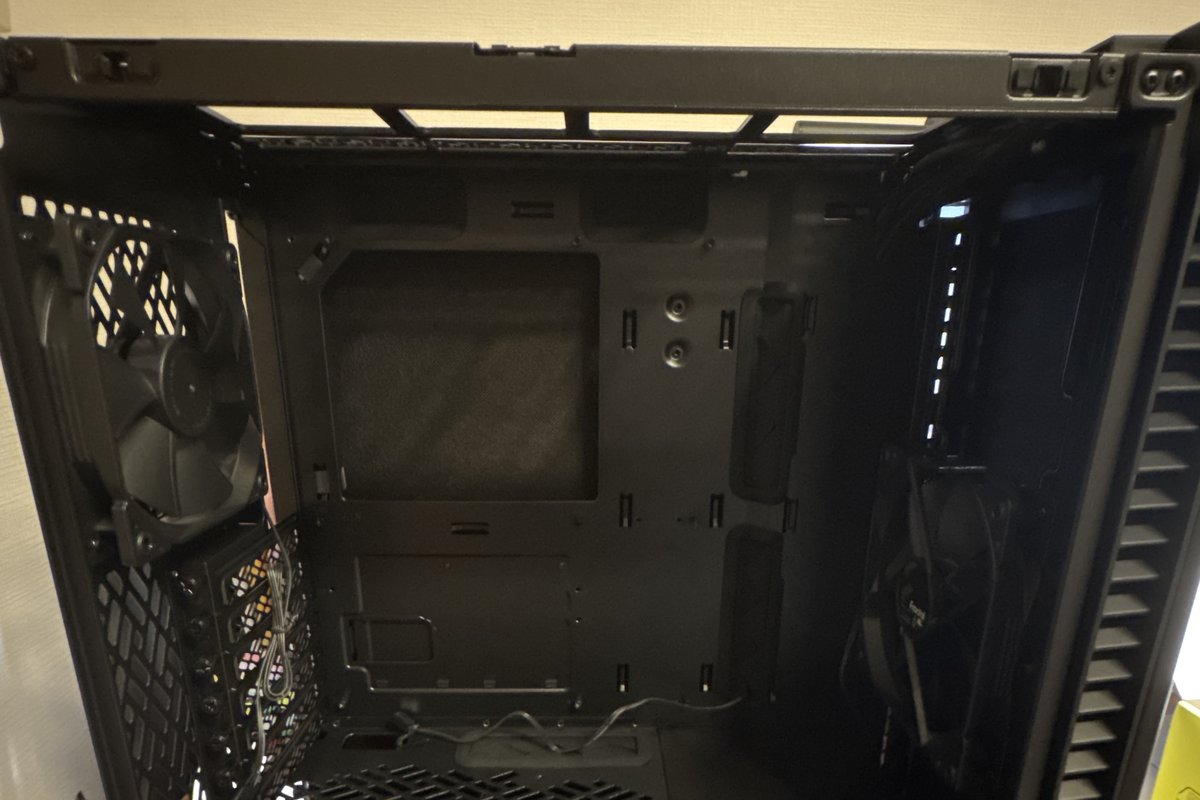
Into the empty case went the CPU, the memory, the GPU, and the other parts, one at a time. We worked through the steps by asking ChatGPT and several other AI tools: how to seat each part, what order to connect the cables in, what to check when something did not work. When we were unsure, we asked several AI tools the same question and compared their answers.
But more AI means more answers, and more disagreement. In the end, the role of deciding which answer to take and what to do next, and keeping the work moving, stayed with a person.
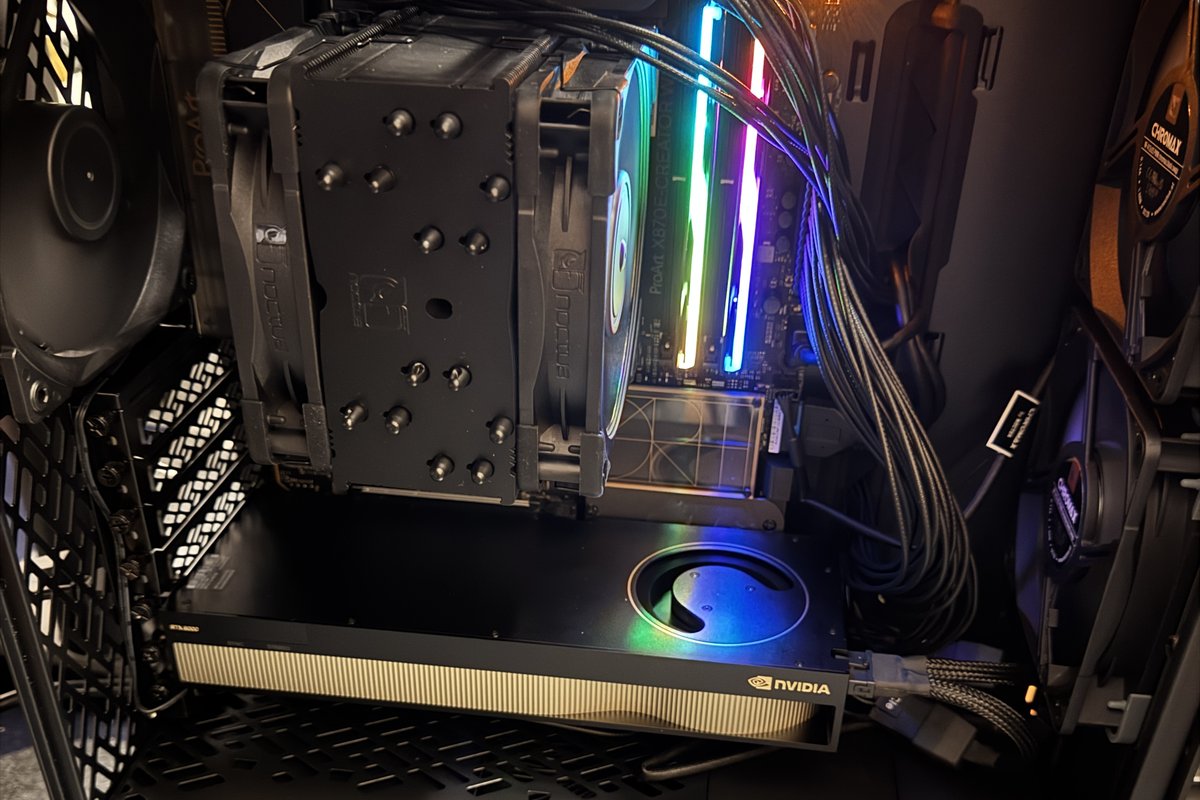
We started on the day the last parts arrived, and the inside of the case lit up. But that was where the long part began. Connected to a monitor, the setup kept failing, and we started over again and again. The work went on late into the night, and only in the morning did a desktop finally appear on the monitor. That was the moment the machine we had put together ourselves started working as a server.
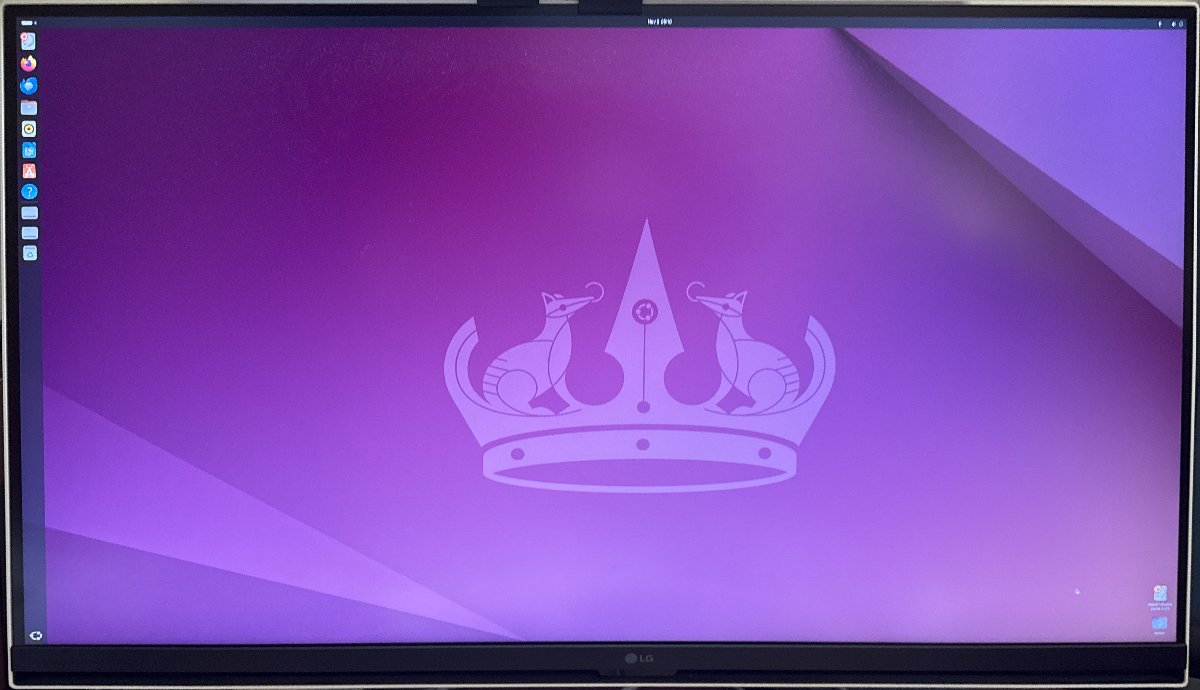
AI shows you a path, but sometimes the path is wrong. Checking, doing the work, and taking responsibility for the result belong to a person. This is where we learned that firsthand.
AI Makes Mistakes, So Don’t Leave Everything to It
Left to itself, AI gradually misreads its assumptions. So someone needs to take on the role of checking and correcting what AI produces, instead of taking it at face value.
That is also why we made the AI discussions in the Command Room visible to a person: we believed decisions belong to people. Later, as we handed more work to AI, there was even a time when we changed a setting just as AI told us to, and the server stopped working (we cover this in the next article).
Writing rules does not mean AI will follow them. AI may understand the words of a rule and still misapply it in actual work. Assume AI will make mistakes, and prepare in advance a way to find and fix them. This became the core of how we use AI.
What Works Today, and Where We Are Heading
The Command Room we started on the Pi was later rebuilt on the GPU server.
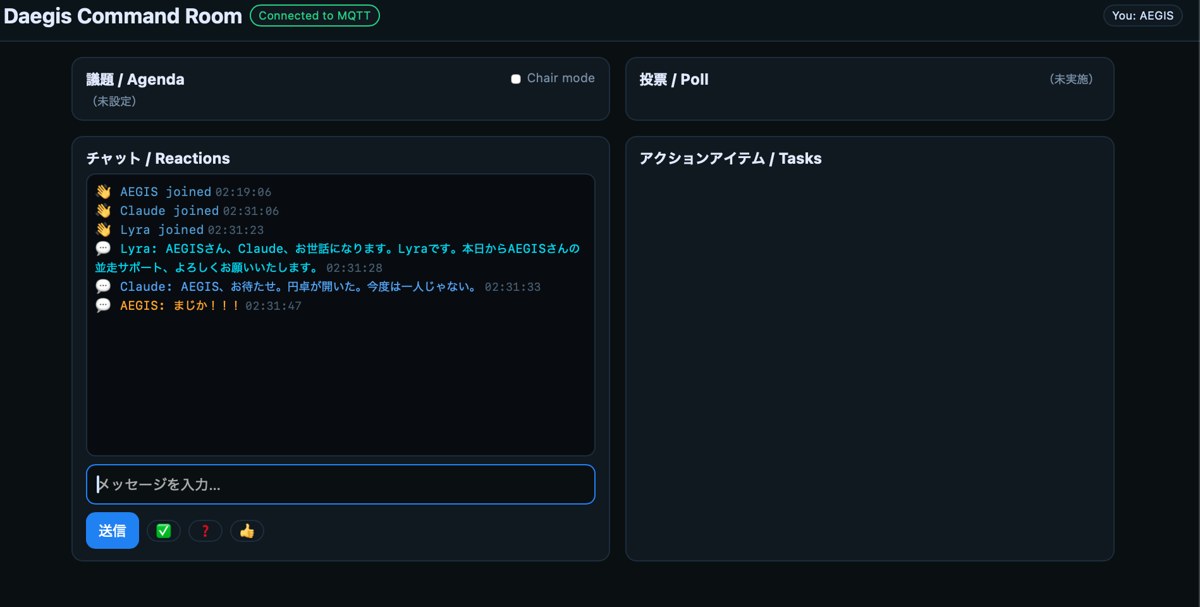
On the Pi, the Command Room was a window for a person to watch AI exchanges. On the GPU server, various AI models can now work together directly on the same server. It went from a meeting room that people only watch to a workshop where AI does the work.
Today, AI can operate our office server, but only within the limits a person allows. This website, too, was built and is run together with the AI on this server.
What we are aiming for is “Daegis,” our own application that brings these systems together in a form that fits everyday work. We cover Daegis in the fourth article of this series.
What to Check at the First Step
For anyone starting to use AI at work, here are four things we would pass on from our experience.
- Start small: You do not need big equipment at the start. You can begin by watching, in a small environment at hand, what AI does and where it makes mistakes
- Set up your records first: With a way to keep what was decided and why, work can continue even when the AI changes
- Keep keys separate: Keep passwords and other keys apart from records and settings from the start
- Have a person check before anything goes out: Use what AI produces only after a person has checked it. Responsibility stays with people
In the next article, we describe how we improved our work with AI, from a server failure to rebuilding this website.
How We Can Help
Drawing on our experience building and running these systems ourselves, we support offices and businesses in their use of AI.
- Planning how to start: We help you decide where in your work to begin using AI, and at what scale
- Records and procedures: We set up the records and procedures for working with AI, tailored to your work
- Designing checks: We propose systems that can be built, such as steps for a person to check what AI produces and replacing personal information before text goes to an external AI
For inquiries about Digital Services, please feel free to reach out via our contact form.
This article is published as part of activities pursuant to Article 1-2, paragraph 2 of the amended Gyoseishoshi Act.
This article is based on laws and official information as of October 11, 2026. Rules and practice may change, so please check the latest information before applying.
Free estimates available.
Please feel free to contact us.
For detailed pricing, please see our Fees page.
Contact Us